Case study / App for photographers
Fotivo
From the first enquiry to delivering photos.
At Fotivo, I develop an app for both sides of a photography job. Photographers manage enquiries, quotes, contracts and payments. Their clients get a separate portal with the documents for their shoot. I also develop the public website. The examples below show functionality using sample data, not the results of a particular photographer.
- My contribution
- Application and public website development
- Context
- Jobs and the client portal
- What the example demonstrates
- Quotes, contracts and payments in one workflow
Public preview with sample jobs, names and amounts.
Visit website ↗Every job has its place.
Enquiry, quote, contract and deposit. Photographers can see where each job stands and what comes next.
How job management works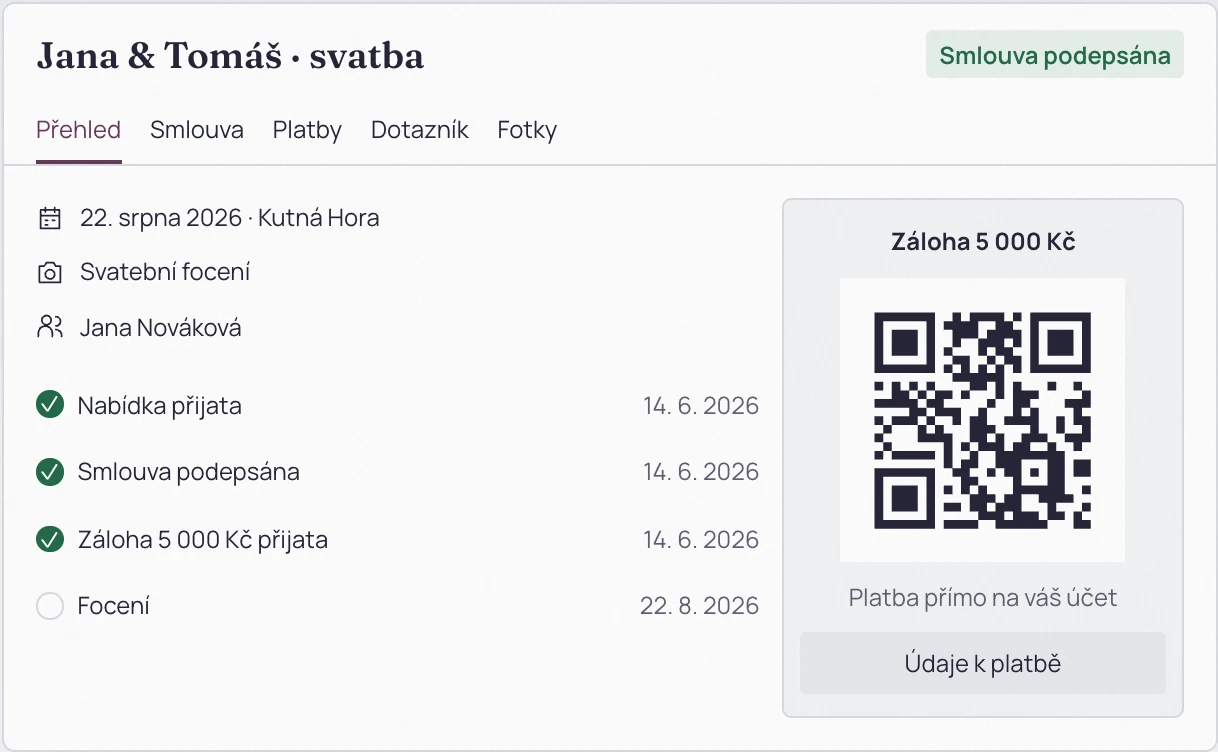
Clients know what comes next.
The quote, contract, questionnaire and payment details in one place. Clients can sign on their phone.
How the client portal worksSee it first. Then try it.
The public website introduces the app through interface previews. Photographers can explore it before signing up.
Explore the public websitePreviews from Fotivo’s public website. Jobs, names and amounts are illustrative.
01 / Managing a job
Quotes, contracts and deposits belong to a job.
- Need
- Photographers need to distinguish enquiries, contracts and payment stages.
- My implementation
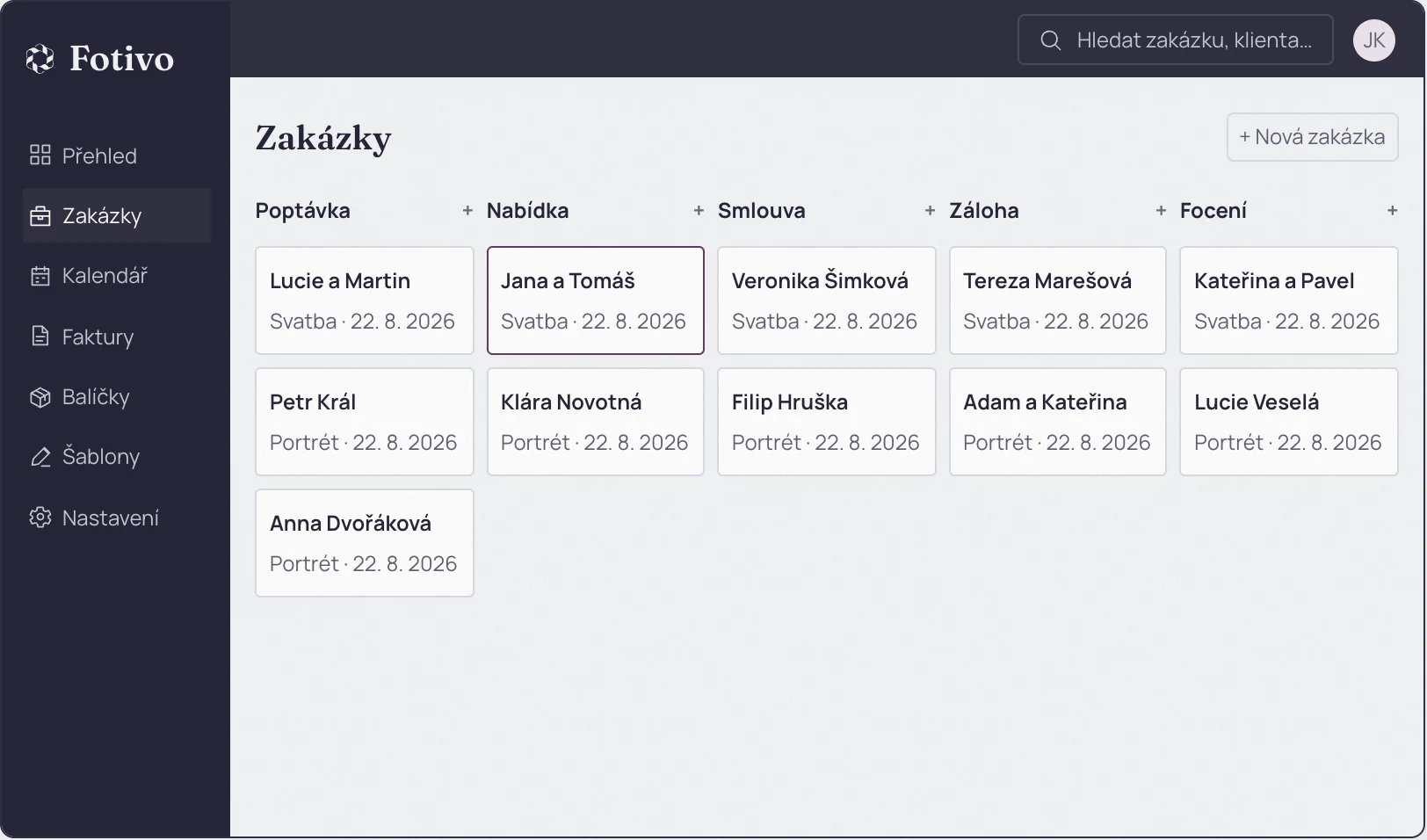
- My development work connects shoot details with quotes, contracts and payments. The job board has a column for each stage. Photographers can distinguish a new enquiry from an agreed shoot and open its documents from the job.
- Behaviour shown
- Columns and cards in the sample preview show the stage and key job details.
- Enquiry
- Quote
- Contract
- Deposit
- Shoot
 Enlarge screenshot ↗
- Columns distinguish each job stage.
- A card connects the job with its date and client.
02 / Client portal
A client portal for each shoot.
- Need
- Clients need the documents for their own shoot without the photographer’s work interface.
- My implementation
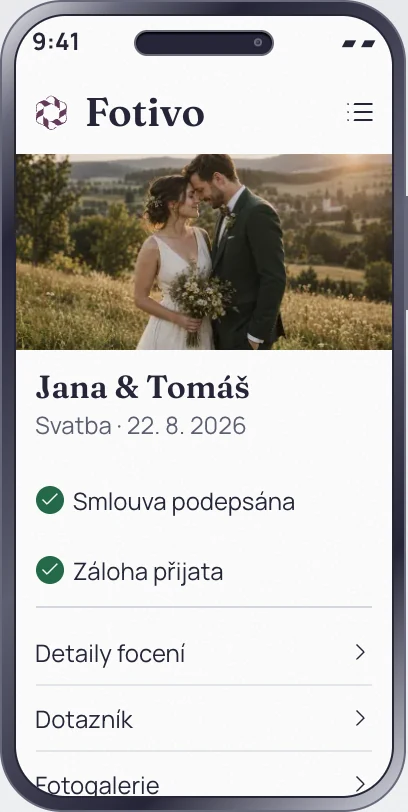
- I develop a separate portal for each client’s shoot. It shows their date, quote, contract and payment details. The photographer’s workspace with other jobs stays separate. The mobile capture below shows the same approach on a phone.
- Behaviour shown
- The portal and its mobile version show the contract and payment details for the same job.
Sign on a phone
Clients can read and sign their contract on a phone, then return to the documents in the portal.
Pay the photographer directly
A QR code helps fill in the payment details. The photographer confirms receipt of the payment manually.
A link to the finished photos
The portal can direct clients to an external gallery. Photos stay in the storage service the photographer uses.
Previews from Fotivo’s public website. Jobs, names and amounts are illustrative.
03 / Public website
See the interface before registering.
- Need
- Prospective users need to understand the features before using the app.
- My implementation
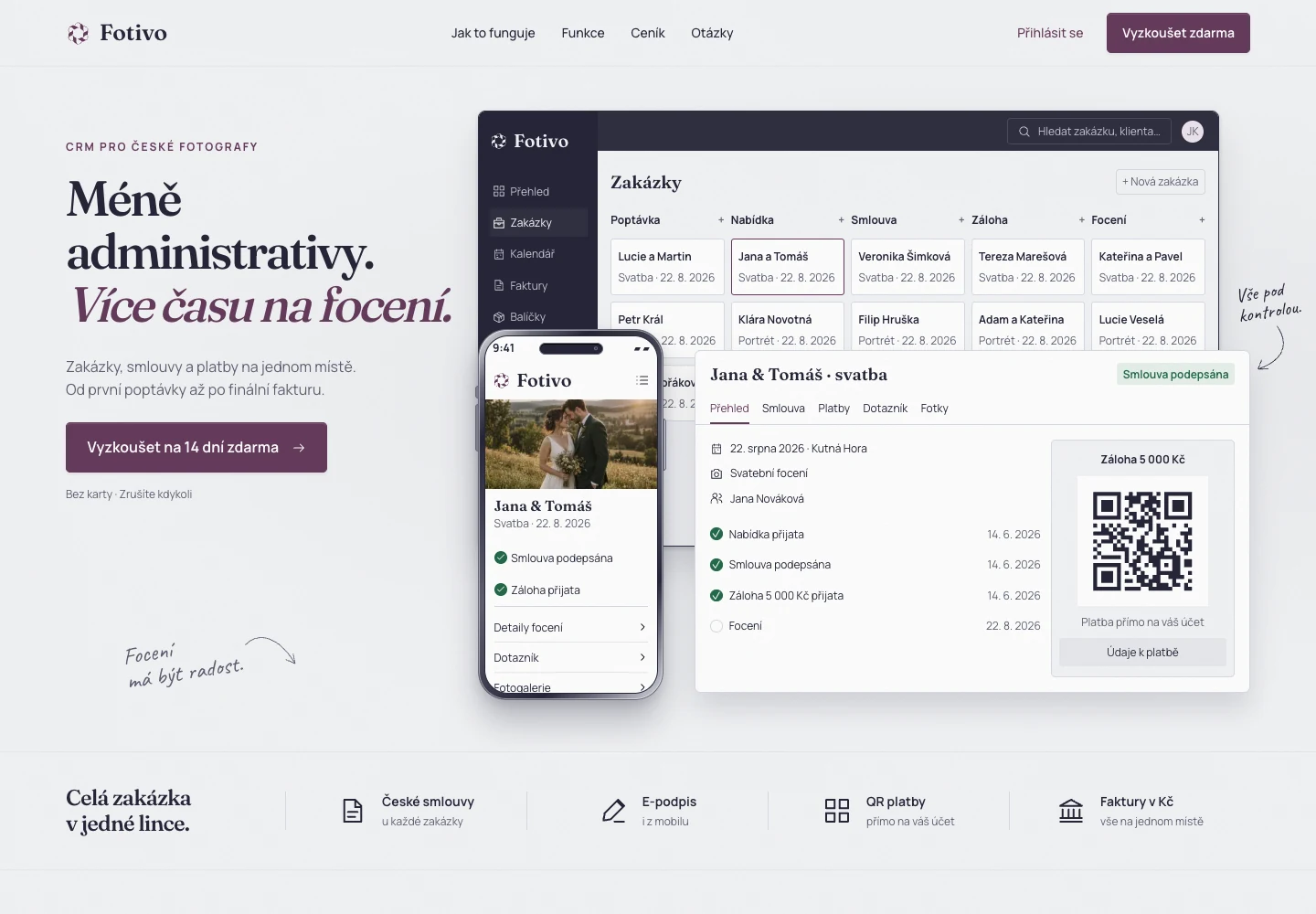
- I also develop Fotivo’s public website. Previews of the job board and client portal accompany explanations of the features, so photographers can explore the app before creating an account.
- Behaviour shown
- The public website demonstrates the interface with clearly labelled sample data.
 Enlarge screenshot ↗
Your next project
Have an app in mind?
Tell me who will use the app and what work it should help them do. You do not need an interface design. We can choose the first features together, then I will design and build them.