Case study / Shoptet
BIJU
Working on the details of shopping.
I customise specific parts of BIJU’s existing Shoptet store: category introductions and product cards, prompts for missing variant selections, and access to product information while scrolling. Below, I show each change, including the states before and after choosing a ring size.
- My contribution
- Categories, variants and product pages
- Context
- Shoptet, existing template
- What the example demonstrates
- A prompt beside the missing choice
My contribution is the customisations described here.
Visit website ↗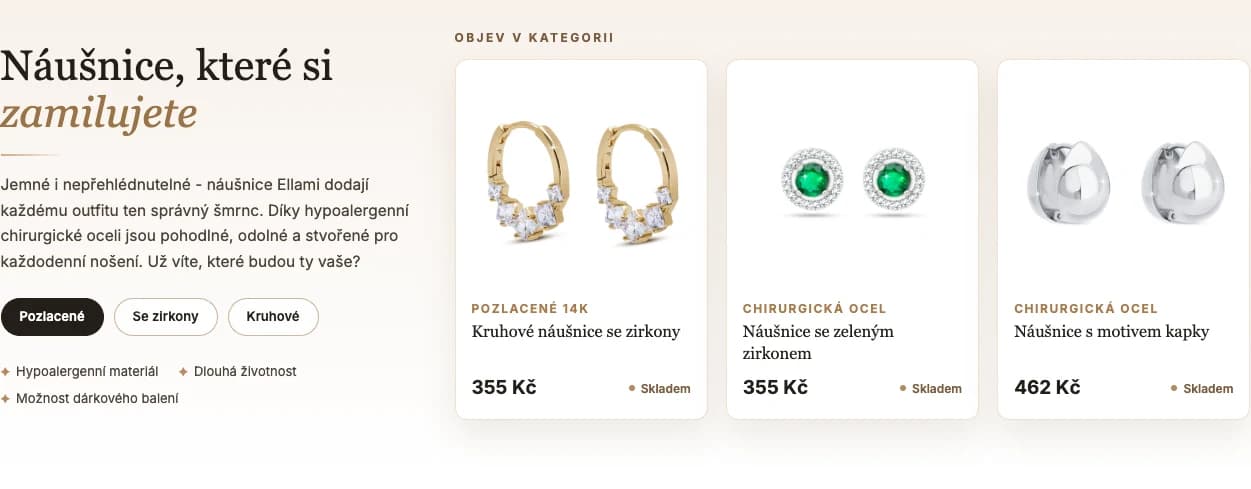
01 / Starting the selection
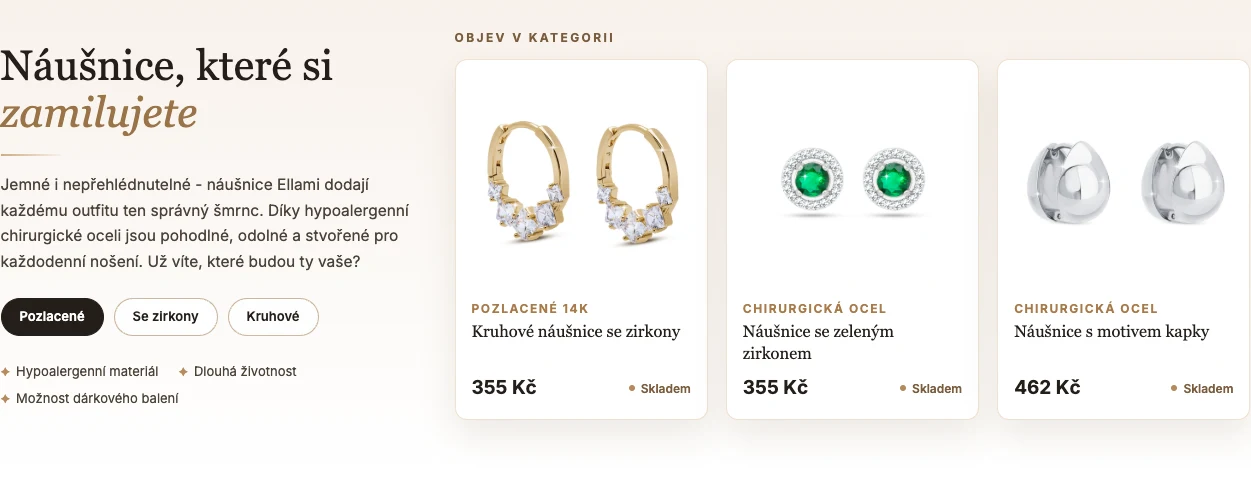
Choosing starts above the product list.
- Need
- Customers need a starting point before a long product listing.
- My implementation
- I added category introductions with copy, links to jewellery types and selected products. In the earrings category, visitors can go straight to hoops or studs. The add-on works within the existing Shoptet store.
- Behaviour shown
- The example connects introductory copy, links and cards populated from products.
 Enlarge preview
02 / Choosing before buying
A ring needs a size before checkout.
- Need
- A required variant must be chosen before adding the product to the basket.
- My implementation
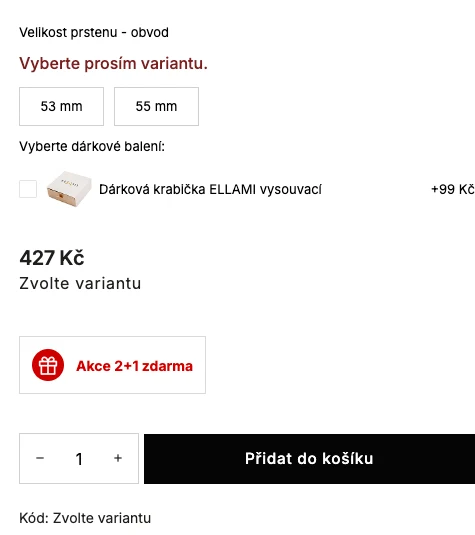
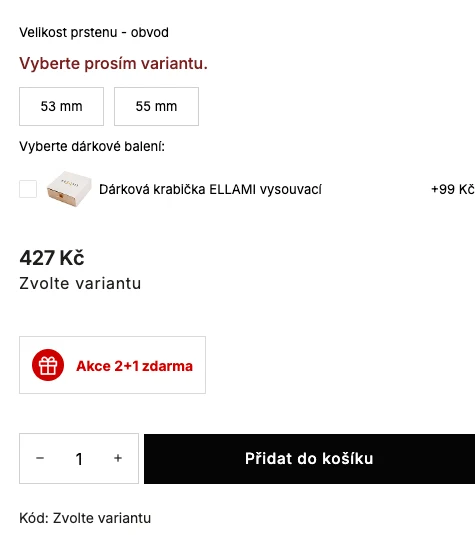
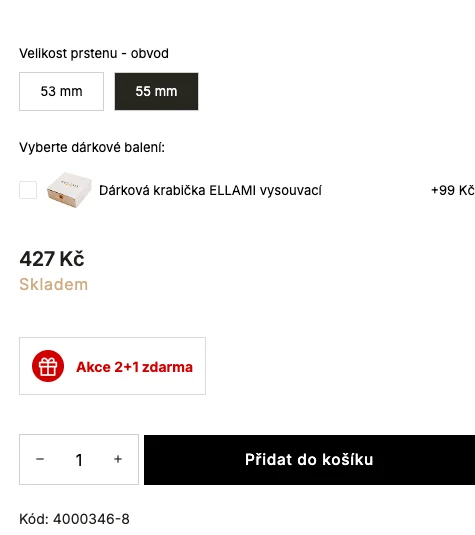
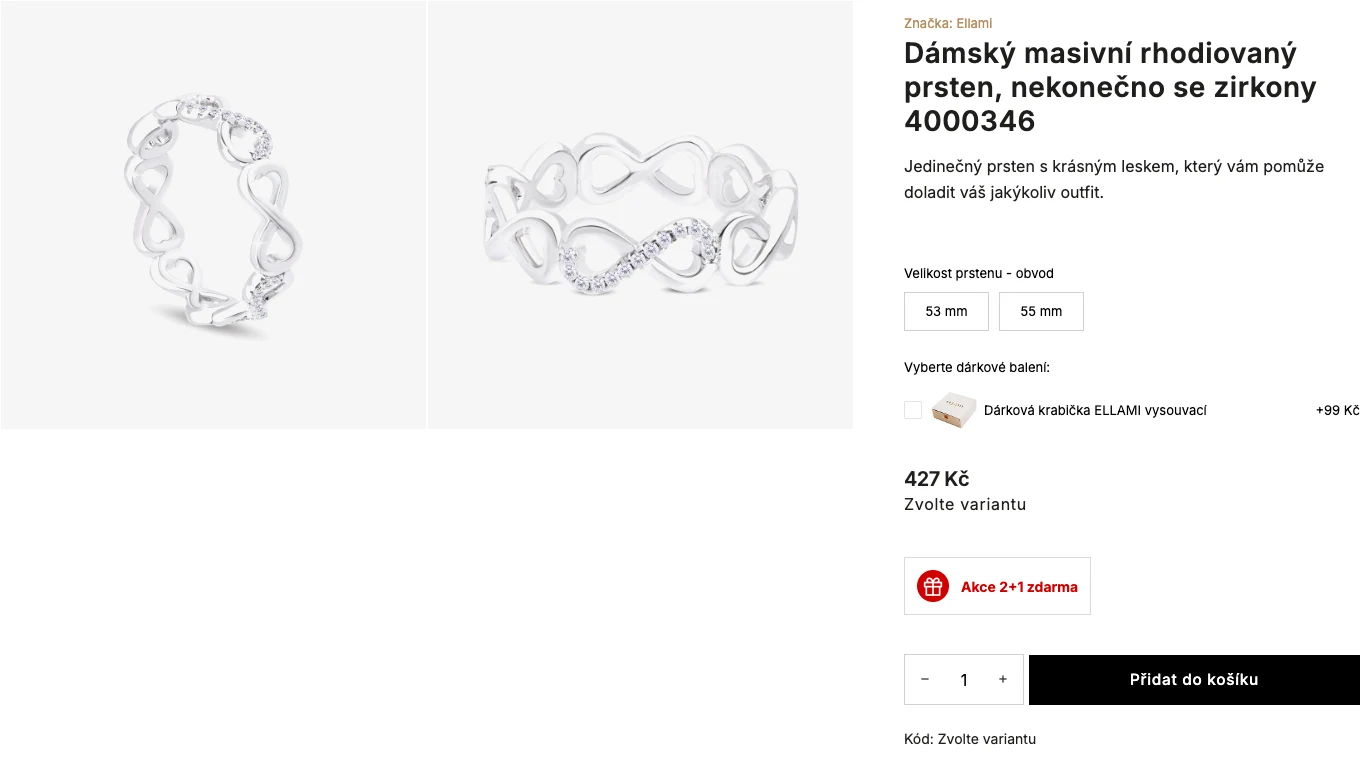
- Ring size is required; gift packaging is optional. If someone tries to buy without a size, the customisation shows a prompt beside the size control and moves focus there. Choosing an available variant clears it. Both states are shown side by side below.
- Behaviour shown
- The same product is shown before and after selecting a size.
 Enlarge preview
- The prompt is beside the missing variant.
- The size choice stays in the same place.
 Enlarge preview
A prompt beside the field
Customers can see which choice is missing. Focus moves directly to the variant control.
Keyboard support
Variant selection works without a mouse and also handles unavailable variants.
Two captured states of the same product. Ring size is required; gift packaging is a separate optional extra.
 Enlarge preview
03 / Product information
Purchase controls alongside a longer description.
- Need
- Descriptions and specifications need to remain reachable while browsing.
- My implementation
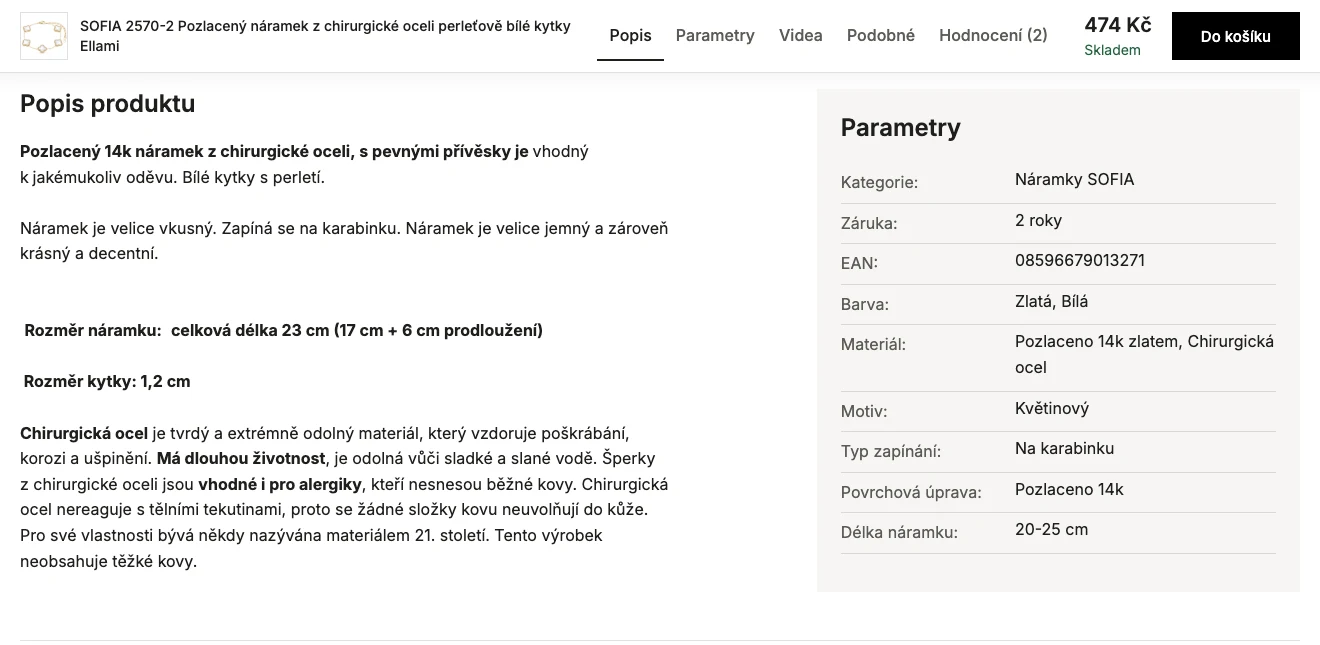
- I added navigation between the description, specifications and other parts of a longer product page. The name, price and purchase controls remain accessible while scrolling. Videos appear where the product has them. These examples demonstrate changes to the interface; they do not measure sales impact.
- Behaviour shown
- The screenshot shows section navigation and the product content that follows.
 Enlarge preview
Shoptet customisation
What needs work in your store?
Send me a link and describe where customers get stuck. We can review the change and agree on the next step.